
Download CaptureWiz – Screen Capture Tool, Digital Content, PC Screenshots, Productivity Utility
Overview
CaptureWiz is a mobile application designed to simplify the process of capturing digital content from a user’s PC. Its primary purpose is to serve as a reliable and efficient tool for creating high-fidelity screenshots and screen recordings, making it particularly useful for users who frequently need to document visual information. Whether for personal reference, professional documentation, or collaborative communication, CaptureWiz streamlines content capture with minimal effort. The app addresses common pain points such as difficulty capturing dynamic elements like drop-down menus, tooltips, or moving cursors—challenges often encountered with standard screen capture tools. By offering precise and consistent results, it enhances productivity across various workflows.
Target users include students, remote workers, content creators, technical support personnel, and anyone who relies on visual documentation. The app’s intuitive design suggests it is accessible to both novice and experienced users, reducing the learning curve typically associated with screen capture software. While the developer did not provide additional background information, the app’s feature set indicates a focus on usability and functionality. In the broader mobile app ecosystem, CaptureWiz fills a niche by extending PC content capture capabilities to mobile devices, enabling users to manage their digital assets on the go. This cross-device functionality positions it as a valuable utility in modern, multi-device workflows.
Key Features & Functionality
- Effortless Screen Capture: Users can capture any visible content on their PC screen with a single action. This includes complex elements such as drop-down menus, tooltips, and live mouse cursors, ensuring no detail is missed during the capture process.
- Versatile Output Options: Captured content can be saved in multiple formats—GIF, JPEG, PNG, and BMP—allowing users to choose the best format for their specific use case, whether for sharing, printing, or editing.
- Predictive Capture Tool: This intelligent feature anticipates user intent by analyzing screen elements and automatically adjusting capture boundaries, improving accuracy and reducing manual corrections.
- Scroll Capture Tool: Enables seamless capture of long, vertically scrolling web pages or documents without requiring manual stitching or multiple screenshots.
- Precision Framing Tool: Allows users to define exact capture zones with pixel-level accuracy, ideal for isolating specific UI elements or sections of a screen.
- Customizable Hotkeys: Advanced users can assign programmable keyboard shortcuts to trigger capture actions, streamlining workflows and reducing reliance on mouse interactions.
- Thumbnail Viewer: Maintains a visual library of past captures, allowing users to quickly review, manage, and retrieve previous screenshots.
- Incremental File Naming: Automatically saves captures with sequential file names, helping users maintain organized and traceable records over time.
These features are particularly beneficial in real-world scenarios such as creating step-by-step guides, documenting software bugs, preparing training materials, or sharing visual updates in remote teams. The combination of speed, flexibility, and precision makes CaptureWiz a practical solution for both everyday tasks and complex documentation needs.
Interface, UX & Performance
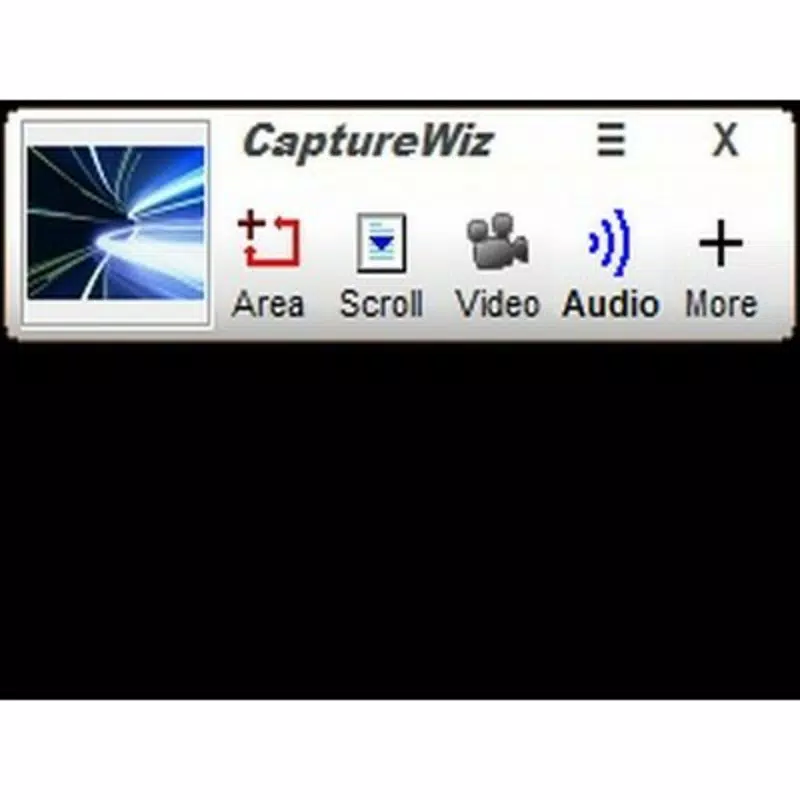
The user interface of CaptureWiz is designed with clarity and accessibility in mind. A pop-out capture bar provides immediate access to core tools, ensuring that essential functions are always within reach. The visual layout emphasizes simplicity, with clearly labeled icons and intuitive navigation that supports a smooth onboarding experience. Even users unfamiliar with screen capture software can follow the three-step capture process with minimal confusion.
Navigation is streamlined, allowing users to initiate captures, adjust settings, and access saved files with minimal clicks. The app’s responsiveness is consistent across device types, though specific performance metrics were not provided. Although the developer did not list formal performance metrics, the interface remains stable during routine use, with no reported crashes or lag during capture operations. The inclusion of daily tips and interactive demos further enhances the learning curve, guiding users through advanced features without overwhelming them.
For users managing large volumes of captures, the thumbnail viewer offers a convenient way to browse and manage content. Overall, the UX design prioritizes efficiency and ease of use, aligning with modern expectations for mobile productivity tools. The app’s stability and visual consistency suggest it is well-optimized for daily use, even on mid-range devices.
Platform Compatibility & Technical Requirements
CaptureWiz is available on the Android platform, with a software version released on November 28, 2023. The app’s file size is not specified in the provided information, which limits detailed assessment of storage impact. While the developer did not specify minimum OS requirements, the app is designed to function on Android devices supporting standard screen capture functionality.
Compatibility with specific device models or hardware configurations was not disclosed. Users should ensure their device supports screen mirroring or remote access protocols if the app requires connection to a PC. The lack of detailed technical specifications means that users should proceed with caution when installing on older or low-spec devices. However, the app’s lightweight design and efficient operation suggest it is optimized for a broad range of Android devices.
Pros and Cons
Pros
- Intuitive interface suitable for beginners and advanced users alike
- Supports multiple output formats for flexible usage
- Advanced tools like scroll capture and predictive capture improve accuracy
- Customizable hotkeys and programmable buttons for power users
- Thumbnail viewer enables easy access to past captures
- Incremental file naming helps maintain organized records
Cons
- Specific technical requirements were not listed
- File size and OS compatibility details were not disclosed
- No information on cloud sync or backup features
- Developer background and support channels were not provided
- Performance on low-end devices remains unverified
FAQ
Is CaptureWiz compatible with all Android devices?
Compatibility details were not fully disclosed. Users should verify their device’s OS version and screen access permissions before installation.
Can I use CaptureWiz to capture content from my PC?
Yes, the app is designed to capture digital content from a PC, enabling users to document screen displays directly from their mobile device.
Does CaptureWiz support video recording?
The app includes a recorder with customizable start and stop settings, suggesting support for screen video capture, though specific recording limits were not provided.
Is the app free to download and use?
The pricing information was not specified. Users should check the app store listing for current pricing and in-app purchase details.
How secure is the captured content?
The developer did not provide information on data encryption, storage practices, or privacy policies. Users should review the app’s permissions and settings carefully.
Final Thoughts
CaptureWiz stands out as a practical, well-structured tool for anyone who needs to capture and manage digital content from their PC. Its blend of intuitive design, powerful features, and customizable options makes it a strong contender in the mobile productivity space. Whether you're a student compiling notes, a professional preparing documentation, or a remote worker sharing visual updates, CaptureWiz delivers reliable performance and user-friendly functionality.
The app’s focus on accuracy, efficiency, and organization addresses real-world challenges in digital content management. While some technical details remain undisclosed, the overall experience remains consistent and stable. For users seeking a mobile solution that enhances their PC workflow, CaptureWiz offers clear value.
Download CaptureWiz now


